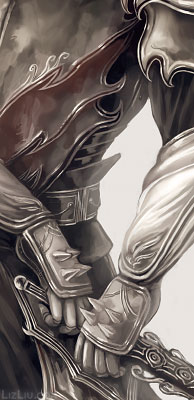
Finally finished the cat soldier :)

Some closeups:


Started this sketch on Sunday. Need to work the composition, particularly the lower right corner.
Finally finished the cat soldier :)
Some closeups:
Started this sketch on Sunday. Need to work the composition, particularly the lower right corner.
Some recently finished work:

The humanoid form of my dog character. I’ve always had trouble drawing him in this form because of the dark eyes, think this is the closest attempt so far :)

Spontaneous illustration featuring Hollis

Fan art of Murkoph from Ashley Cope’s wonderful Unsounded webcomic :)
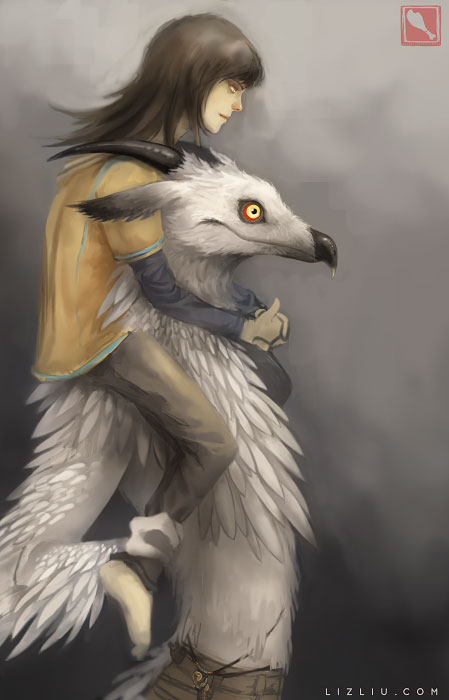
I recently remembered this sketch I did back in February (the sketch is below) that I meant to finish but had forgotten about until I remembered it while falling asleep last night. Thought it’d be fun to finish it now!

I don’t know why I’m too lazy to take progress jpegs of things haha, probably because it clutters things up in Bridge. Here’s a sloppily cropped wip of one:

Corveil and Hollis. Another unplanned drawing that I ended up rendering, so the full composition bothers me :(

Did this sketch earlier today, I think it was about 2-3 hours at the most? It started out Vale-like – I just really like this hairstyle – but I didn’t want another animal-eared image. So this is either an example of the kind of citizen who lives in Vice’s country, or even his sister.
I spent a lot of today and yesterday changing the layouts for this blog and my main site, which I hadn’t been planning, but it just happened on its own. It started when I wanted to simply change the layout for this blog, because I disliked how with the old layout, when you clicked through the archives it would show only the title of the posts for that month, and not the full post. That made it so there was no way to see the images without individually clicking each post title. Which is ridiculous. So after searching through too many themes I finally found this one I like, and that shows the images when you click on the archived month, so those links aren’t useless anymore.
Though I don’t know if that’s such a good thing, most of that old work is quite frightening haha.
When I was updating my art site, I was surprised how advanced CSS is now! And by that I mean, even just from a couple years ago. I added fading links and a hover attribute to the thumbnails so they get larger when you mouse over them. I remember you used to need a script to do that, now you can just use a few lines of CSS and it’s like magic. Amazing!