Earlier this year, I had a hankering to try and learn 3D sculpting. ZBrush is the go-to program for this, but because I wasn’t sure the laptop I was using could handle it, I became interested to try Blender first.
I was also interested in checking out Blender’s sculpting tools, because I had heard they’ve been making real strides as of late. I had heard that their developers were becoming closer and closer to rivaling ZBrush. I also stumbled across the amazing Entei Ryu’s “sculpt+paint” artworks around this time, which are her gorgeous ZBrush works that she paints over in a 2d program. She’s largely what inspired to finally try exploring 3d sculpting this year!
I’ll post a few of my first Blender sculpts below, and follow-up with another post chronicling my forays into ZBrush next!
These are in roughly reverse chronological order, which means they become subsequently more silly the further down you scroll:
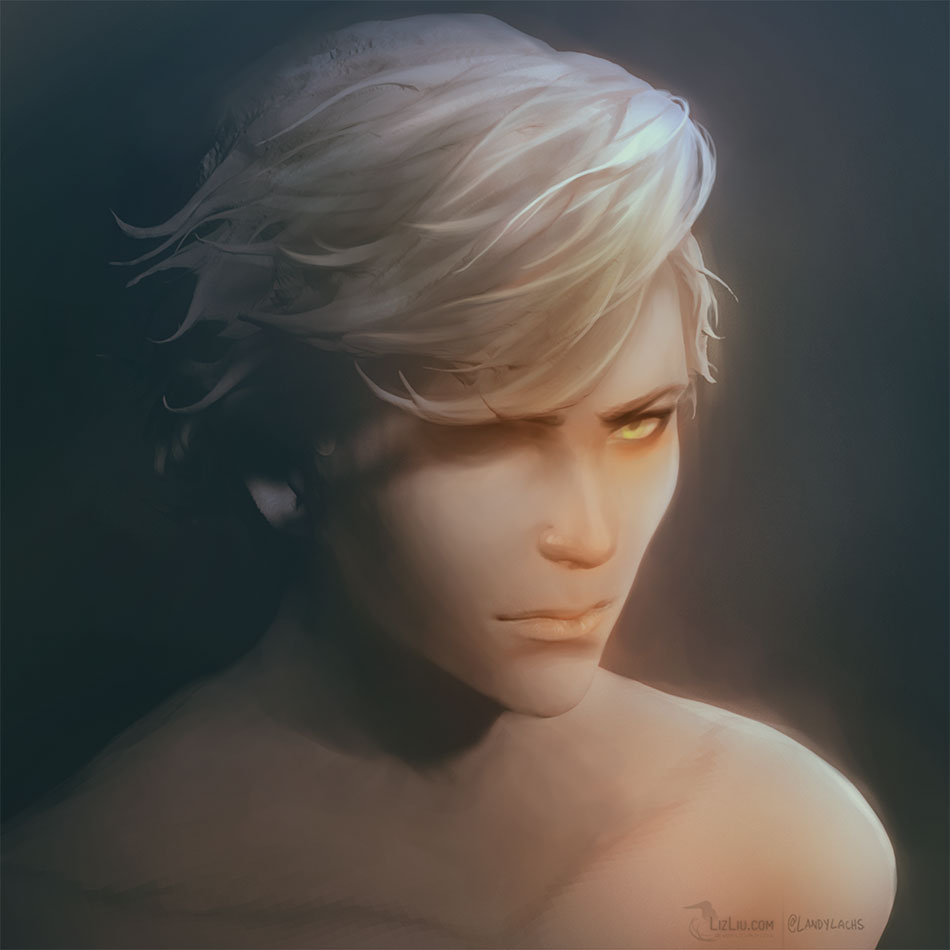
First, we have a sculpt+paint of Corveil. It was sculpted using Blender’s sculpting tools, rendered out, and then the still rendered frame was painted over in Photoshop.

Here is a Blender sculpt+paint of Aurelle, one of the characters from a personal project!

Above is the Blender sculpt itself! Click the smaller image to see a larger version.

Next is a sculpt+paint of Aurelle.

This was one of the earlier sculpts I tried. I was mainly familiarizing myself with the sculpting tools and brush in the program. 

Here is the sculpt and sculpt+paint of one of my “Duskbirds,” formally referred to as “Skullbirds.”

And here is a bonus render of a silly Elsium, glowing from within.